Designing a platform for learning classical guitar through augmented reality
Role
-
Flow mapping
-
information architecture
-
Wireframes
-
User interface Design
-
Design system
-
Prototyping
-
Iconography
-
Illustrations
Summary
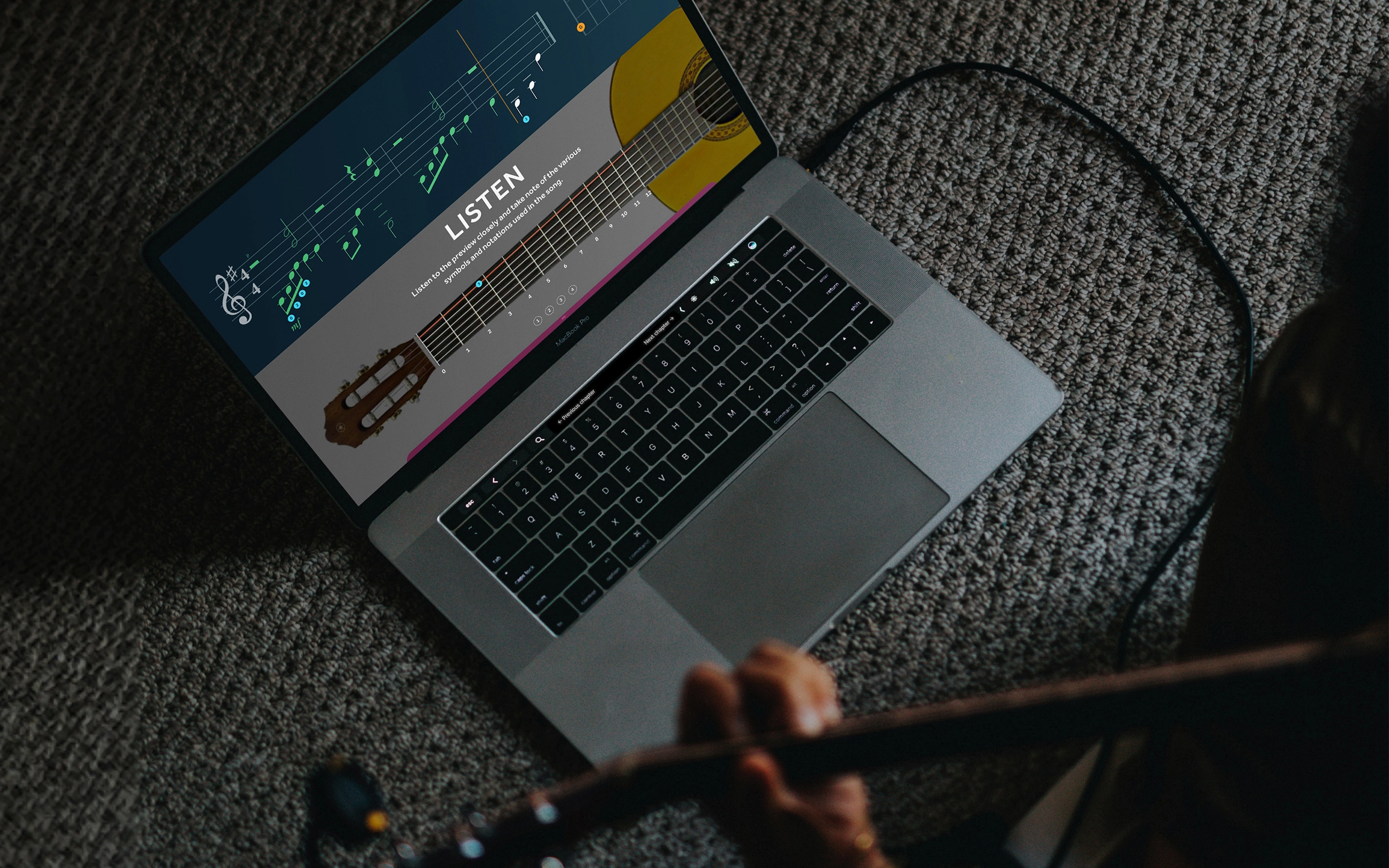
Learning an instrument through a video-based course isn’t often as intuitive or interactive as it needs to be. This pilot program aims to help students learn without the monotonicity of an online course, using guidance through augmented reality, interactive learning sessions and an integrated progress-tracking dashboard.
Research
We started by auditing existing guitar learning platforms. AR-oriented learning systems were tried before but they had several limitations, both instructional and technical.
My role
My responsibility spanned the entire process with close collaboration with my product manager—from competitive analysis and logic definition, to the final seller-facing and customer-facing experience.
Some of the problems found, and how they were addressed:
-
Lack of physicality and imitation while learning
We needed to find a balance between a video-based course and real-life practice, as one would do when taught by an actual instructor.
→ Building muscle memory via visual instructions using visual aids for finger placements, posture, technique, etc.
-
Learning/instructions feel robotic
While some learning platforms follow a very methodical instruction delivery, it also felt clinical or basic. From our research, beginners tend to learn better with a dedicated instructor, which feels more natural and guided.
→ Learning topics derived with the help of an instructor so that lesson delivery feels natural
-
Powerful/expensive hardware required
Some of the platforms required powerful graphic cards or expensive AR/VR setups to run, which can be an obstacle for beginners trying to learn an instrument.
→ Designed as a browser-based platform with simplicity in mind
-
Unintuitive visuals
Mobile devices provide far less screen real estate than desktop screens or tablets, which feels cramped and compromised.
→ Designing for tablet screens and above with a comprehensive design system, for effective instruction
User flows were made for a seamless experience through the lesson delivery, student dashboard and admin dashboard.
The Core Lesson Delivery
The lesson delivery consists of three parts aimed at building muscle memory—listening, practicing and feedback.
Listen
User is instructed to listen
We first play the audio sample along with a visual of the strings and chords to pick. The user is given a choice to repeat listening to the sample.
Practice
User is instructed to play
After a short countdown, the user can follow the visual guide and try to play the strings correctly, while the platform listens to what is being played so that the user’s performance can be evaluated.
Feedback
User is given visual feedback
The user sees a feedback on how they played, along with the option to try again. The incorrect notes (i.e., those that did not register correctly on the device microphone) are also highlighted.
Applying the Core Lesson Delivery to all lessons
Learning points were gathered and structured in a manner that would feel natural to beginners. The lessons had to be informative and concepts easy to grasp, while also not overloading the student with information.
To keep learning interesting, we designed the lesson delivery screens to accommodate different types of score sheets—from using simple frets and finger position markers to notation, complex chords and even lyrics—all under one design system.
Combining the design system with the Core Lesson Delivery, the learning points were then designed as chapters in each lesson over a period of a few months, and the lesson progression was validated by the consulting guitar instructor.
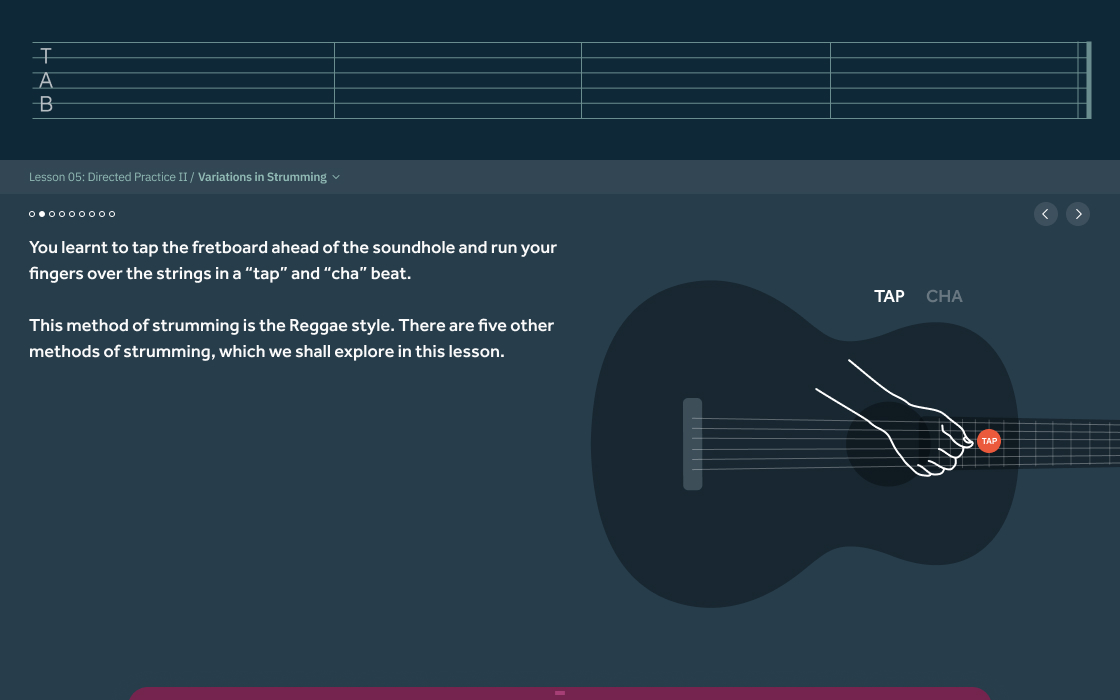
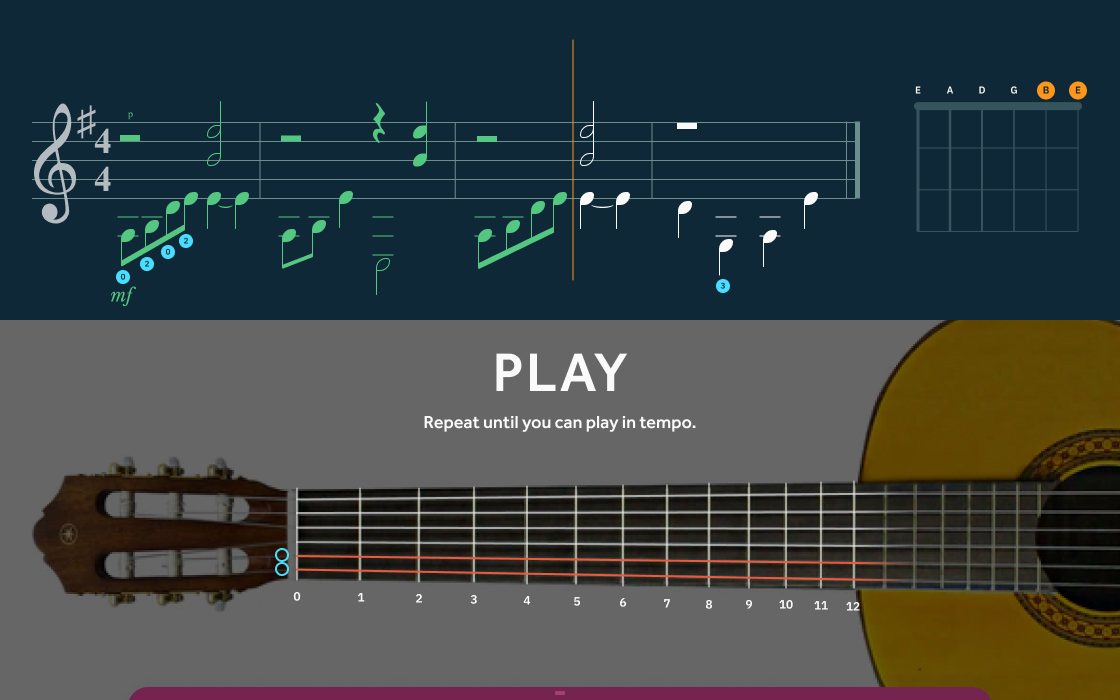
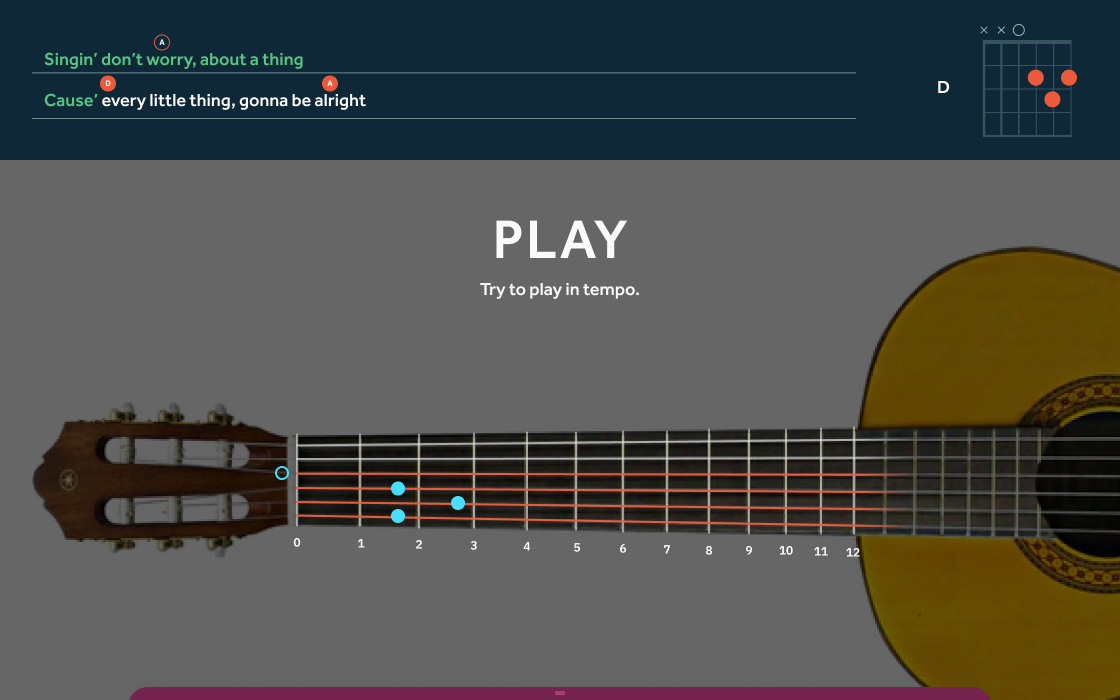
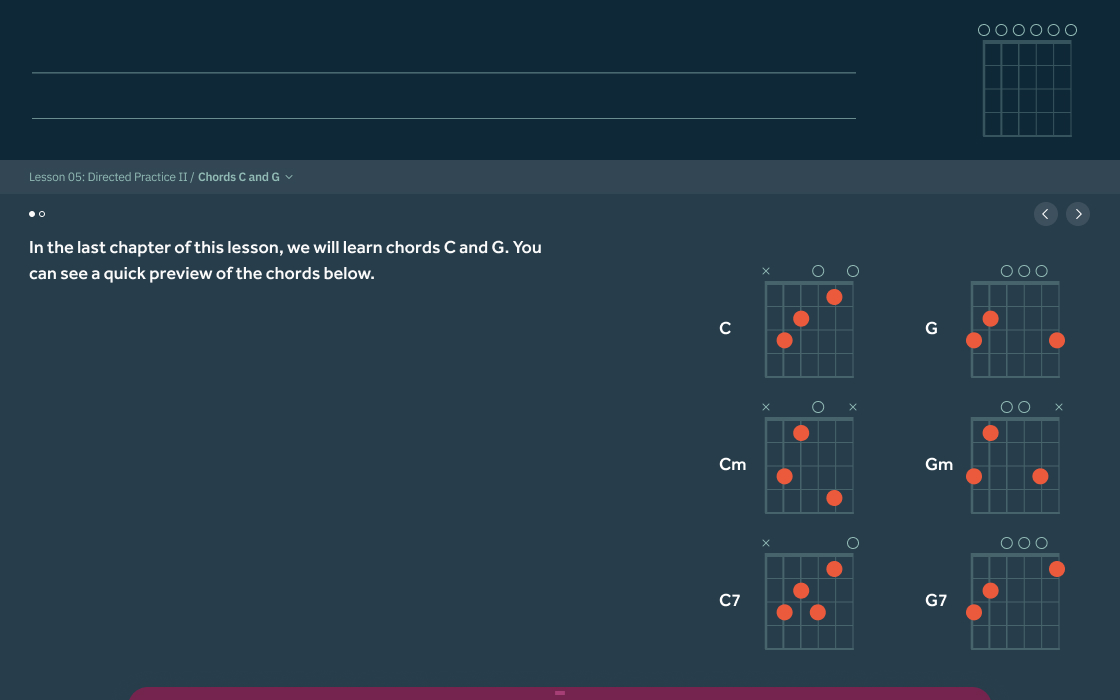
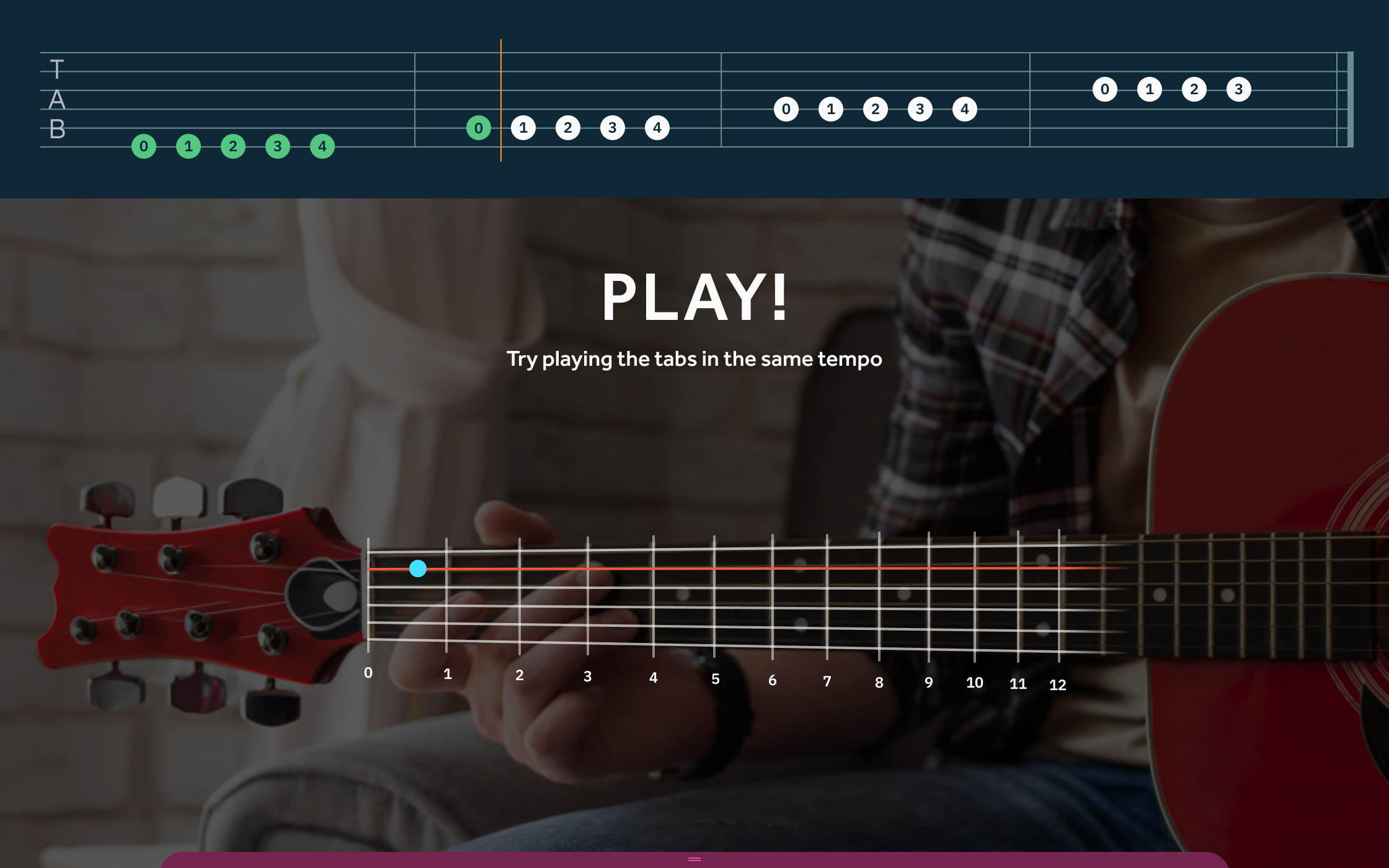
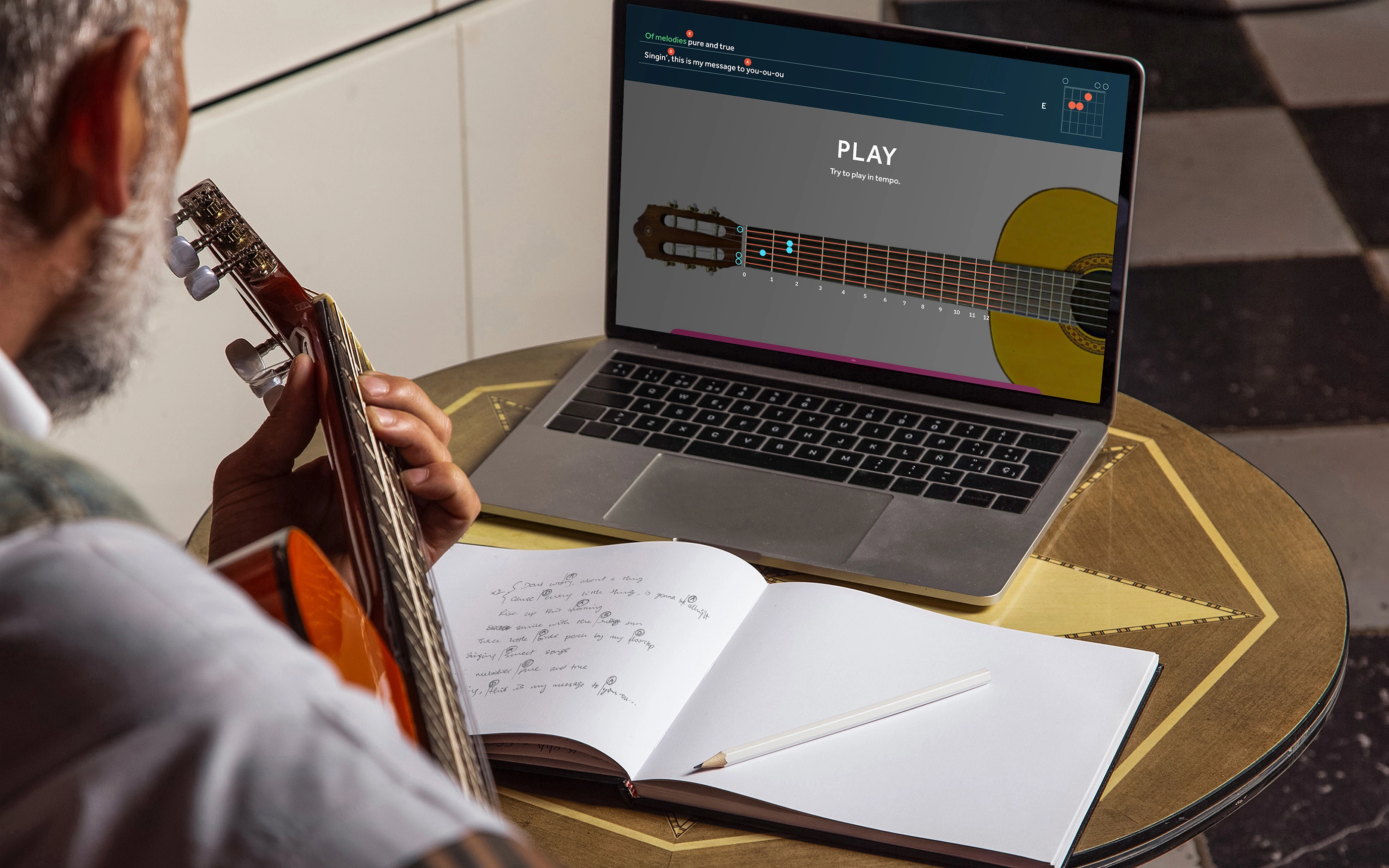
Anatomy of the lesson delivery screen
The lesson delivery screens are divided into two sections. The upper section is for the score sheets and notation system, and the bottom section is for the camera feed that shows the student a mirror image of their guitar with the key instruction ("Listen", "Play", etc.) and feedback as overlays.
The height of the top section adjusts as necessary, depending on the complexity of the score sheet.
A flexible design system
The design system accommodates everything from notations to complex chord diagrams for every use-case. This saved us a lot of time when designing the instruction screens and putting together scoresheets.
Animated illustrations
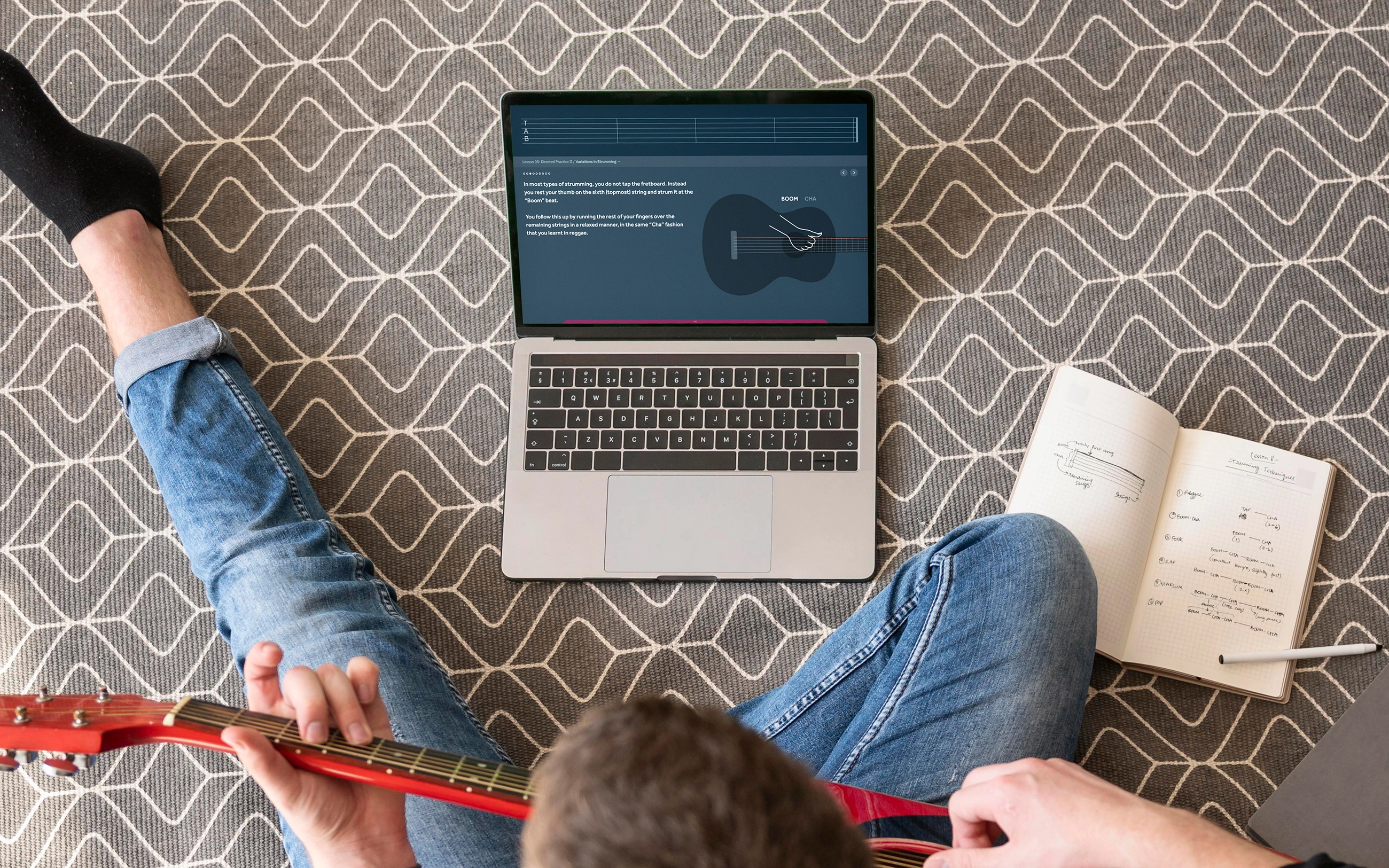
Concepts such as posture and strumming techniques were conveyed using animated illustrations along with audio samples to give the student an understanding of how a note or piece should be played.
Making switching from guitar to mouse control a little easier
Switching between playing the guitar and interacting with a mouse multiple times can be cumbersome, so the in-lesson menu was designed to pop up when the guitar goes out of view.
This is possible because the students would be given a sticker to place on the guitar which would be tracked by the AR engine.
Calibrating guitar position
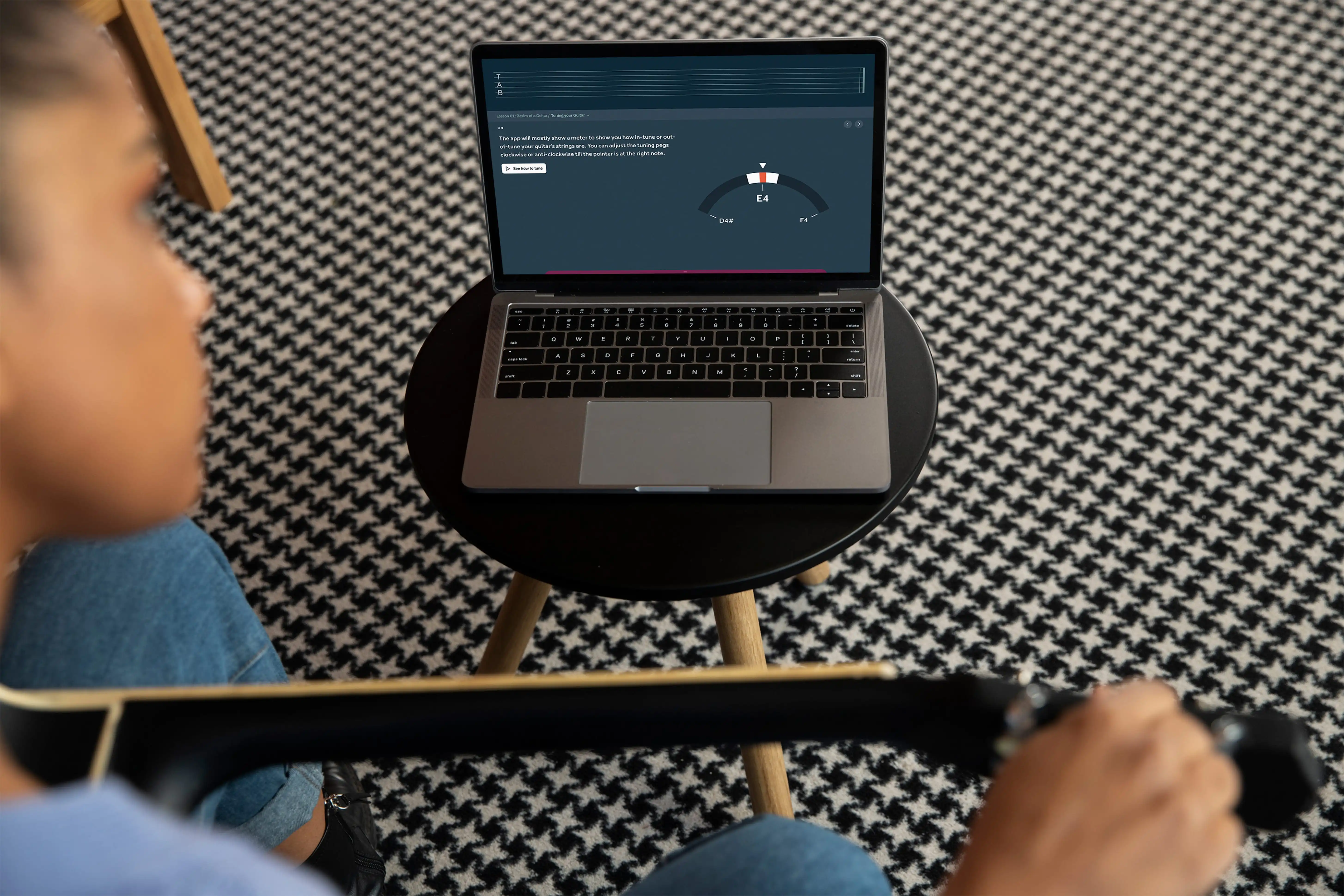
Since the guitar setup and the distance of the camera from the guitar does not stay the same across each learning session, the position of the guitar overlays can be calibrated before the start of a session.
Tracking and evaluating learning progress
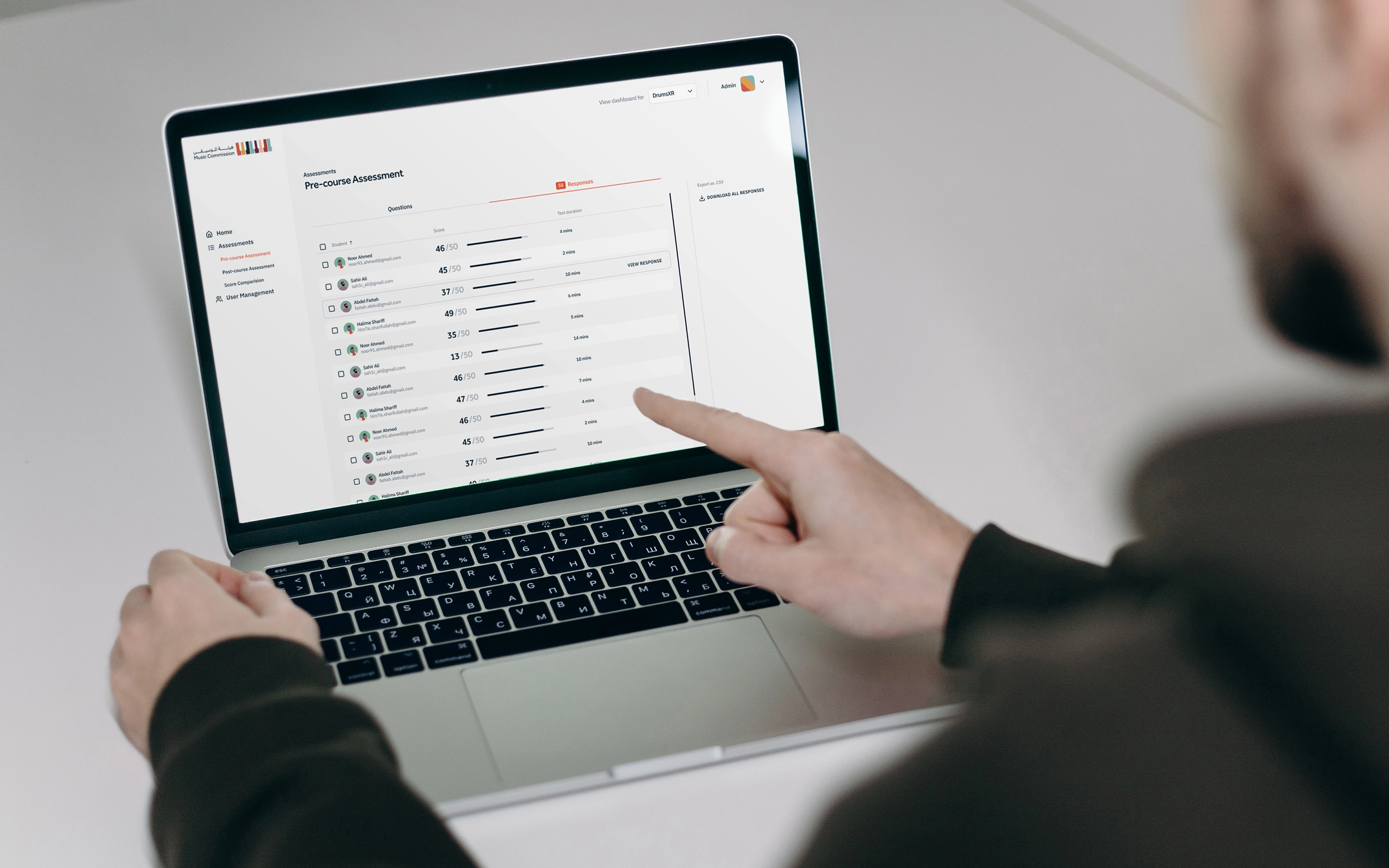
Self-initiated learning on a platform can sometimes feel like a chore. We helped make it easier by designing a dashboard where students can keep track of their progress and revisit previously completed lessons.
But tracking alone wasn’t enough. To help students evaluate themselves, and for our admin (the client) to see student progress, we also designed support components to the main platform such as pre- and post-lesson assessments, surveys, and an admin dashboard for the client to view and manage students.
Iterative Design
The project spanned several months, which followed an iterative design process with regular collaborative sessions with the client to discuss and refine the design and UX, clear technical doubts and ideate potential solutions.
This project contains both independent and collaborative responsibilities at Parentheses Studio. The collaborative nature of studio work involves the contributions of multiple talented individuals whose combined efforts produce the final result.